
TL;DR
7 min readBlocking an account on Bluesky stops both accounts from seeing or interacting with each other's posts in the app: no replies, quote posts, mentions or follows, and blocked replies show as "Post blocked". The block is a public `app.bsky.graph.block` record in your repository, while a mute stays private. A block does not delete the other account's posts, and you can block a whole moderation list in one step. Before you block an account that talks about your market, remember you can no longer reply to it.
Tapping Block account on a profile creates a bluesky block, a public record in your repository that stops you and that account from seeing, replying to, quoting or mentioning each other in the Bluesky app. Bluesky's help centre sums it up: "Blocking prevents interaction. When you block an account, both you and the other account will no longer be able to see or interact with each other's posts." Block spam and harassment, and mute the accounts you still want to be able to answer.
What happens when you block someone on Bluesky?
A block on Bluesky cuts all interaction between two accounts in both directions. The confirmation dialog in the Bluesky app says: "Blocking is public. Blocked accounts cannot reply in your threads, mention you, or otherwise interact with you."
Bluesky's post on how it built blocks lists what the servers and apps enforce once a block exists:
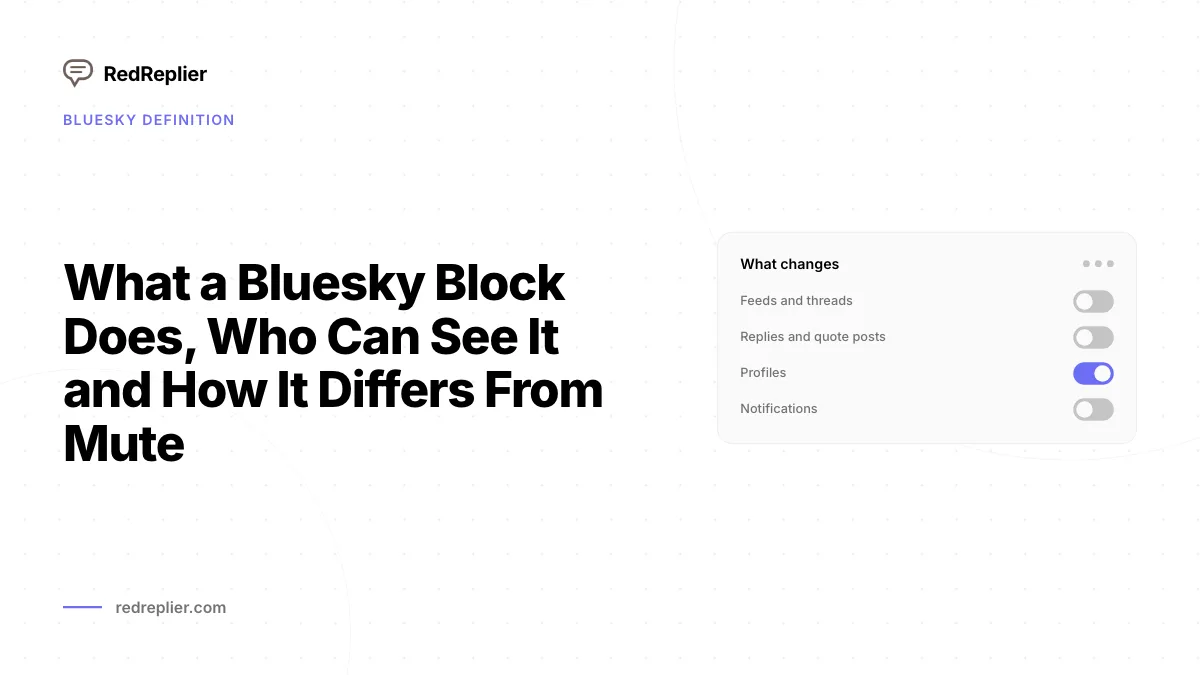
- Feeds and threads. The other account's posts no longer appear in your feeds or in reply threads, and yours disappear from theirs.
- Replies and quote posts. The app prevents new replies, quote posts, embeds and mentions between the two accounts.
- Profiles. Profile views come back empty or marked as blocked. The blocked account sees "This user has blocked you. You cannot view their content."
- Notifications. The app suppresses every notification involving the other account.
- Messages. The post predates Bluesky chat, but the app now hides chat messages too and shows "Messages from this person are hidden while you are blocking them."
In a thread, a reply from a blocked account shows as a "Post blocked" placeholder. A quote post that involves a blocked account shows "This content is not available because one of the users involved has blocked the other."
Are blocks on Bluesky public?
Yes, every block on Bluesky is public. Bluesky's help centre lists it plainly: "Blocks are public." A block is an app.bsky.graph.block record in your account's repository with two fields, subject (the DID of the blocked account) and createdAt. The lexicon itself carries the warning: "NOTE: blocks are public in Bluesky; see blog posts for details."
Bluesky explains why in a developer blog post: "blocks on Bluesky are public and enumerable data, because all servers across the network need to know that they exist in order to respect the user's request." The app shows you your own block list and does not show who blocked you, but the same post says developers "could crawl the network to parse this information."
Treat a block as a visible act. Anyone who reads the network data can see that your brand account blocked a critic, and a public block on a loud account invites the kind of attention our guide to online reputation management warns about.
How do you block an account on Bluesky?
You block an account from the menu on its profile.
- Open the account's profile.
- Tap the three-dot menu and pick Block account.
- Read the Block account? dialog and confirm.
- To see everyone you have blocked, open Settings, then Moderation, then Blocked accounts.
- To undo a block, open the profile and pick Unblock account. The app warns: "The account will be able to interact with you after unblocking."
Unblocking deletes the block record from your repository. Replies the account wrote to your posts before the block come back into view, because the block never deleted them.

What is the difference between block and mute on Bluesky?
A block is public and stops interaction both ways, while a mute is private and only changes what you see. The Bluesky app describes mutes in one line: "Muting is private. Muted accounts can interact with you, but you will not see their posts or receive notifications from them."
| Block | Mute | |
|---|---|---|
| Who can see it | Anyone, it is a public record | Nobody, mutes are private |
| Their posts in your feeds | Hidden | Hidden |
| Their replies in threads | Shown as "Post blocked" | Shown behind "Post from an account you muted" |
| Can they reply to or mention you | No | Yes |
| Can you reply to them | No | Yes |
| Notifications from them | Suppressed | Suppressed |
| Does the other account know | It sees it is blocked if it visits your profile | No |
The help centre says a muted account "will not know that they have been muted." That makes a mute the better tool for an account you find noisy but still want to reply to, such as a prospect who posts many times a day. For filtering topics instead of accounts, Bluesky's muted words and tags setting does the same job for words and hashtags.
How do you block a moderation list on Bluesky?
You block a moderation list by subscribing to it with the block option, which blocks every account on the list at once. Bluesky describes moderation lists as "Public, sharable lists of users to mute or block in bulk."
- Open the moderation list.
- Tap Subscribe, then pick Block accounts.
- Confirm the Block these accounts? dialog, which repeats that "Blocking is public," by tapping Block list.
The app saves this as one app.bsky.graph.listblock record that points at the list, and the lexicon defines that record as a block against a whole list of accounts. The list's owner decides who is on it, so you inherit their choices. If someone you want to reach is on a list you block, the app tells you: "This account is blocked by one or more of your moderation lists. To unblock, please visit the lists directly and remove this user." Read a list before you block it, and use Mute accounts on the same menu if you only want a quieter feed.
RedReplier
Get Started
Reddit, X, Bluesky & HN
Real-time intent alerts
Unlimited AI replies
Ranked by buyer intent
What does a Bluesky block not do?
A Bluesky block does not delete content, change follows or stop labels. Bluesky's block post says: "The act of being blocked also does not result in any change to the blockee's repository, and any old replies or mentions remain in place, untouched."
- Follows stay in place. The block post says "follow relationships are not changed due to a block," so a quick block and unblock does not remove a follower.
- Logged-out viewers still see posts. Bluesky posts are public, and the post notes that a blocked person can read your content "by simply logging out or opening an incognito browser tab."
- Labels still apply. The app says: "Blocking will not prevent labels from being applied on your account, but it will stop this account from replying in your threads or interacting with you."
Does a Bluesky block affect brand monitoring?
A Bluesky block changes what your own account can see and do, and leaves the blocked account's posts on the network. The posts stay in the other account's repository, keyed to its AT Protocol DID, and the firehose streams new repository events, posts included, to the tools that read it.
The cost of a block for someone who replies by hand is reach in the app. If you block an account, or it blocks you, you cannot reply to its posts from that account, and you will not see its threads in your Bluesky feeds or searches. Block bots and harassers, and mute the rest. When you search Bluesky yourself, Bluesky search operators narrow results without hiding anyone, and negative keywords cut irrelevant matches at the query level.
How does RedReplier fit next to Bluesky blocks?
RedReplier finds Bluesky posts by keyword, and the reply still goes out from your own account. Bluesky monitoring in RedReplier reads the live firehose for your terms, brand names and phrases, and ranks each match by relevance. Matches land on your RedReplier dashboard within minutes of a post going live, and email alerts go out as digests on a cadence you set per keyword, from hourly to daily. RedReplier drafts a reply and never posts it for you. You post every reply from your own Bluesky account, so a block between that account and the author still stops the reply. Our guide to monitoring brand mentions covers how to run the same watch across other networks.
Frequently asked questions
Can someone see that I blocked them on Bluesky?
Yes. Blocks are public records on the AT Protocol, and the blocked account sees a blocked notice if it visits your profile. The Bluesky app does not list who blocked you, but developers can read block records from the network.
What happens to replies when you block someone on Bluesky?
Their existing replies to your posts are hidden from you and show as "Post blocked" in threads. They are not deleted. If you unblock the account, those replies come back.
Can a blocked account quote my posts on Bluesky?
No. The app prevents quote posts, replies, embeds and mentions between two accounts once either one blocks the other. Existing quotes show a notice that the content is not available because of a block.
Should I block or mute on Bluesky?
Mute when you only want a quieter feed, since a mute is private and you can still reply. Block when you want to stop an account from replying to you or mentioning you, and accept that the block is public.
Does blocking someone on Bluesky remove them as a follower?
No. Bluesky's block post says follow relationships do not change when you block. The block stops them from seeing your content in the app while it stands.
How do I see my blocked accounts on Bluesky?
Open Settings, then Moderation, then Blocked accounts. To undo a block, open the profile and pick Unblock account.
Can a blocked person still see my Bluesky posts?
Yes, if they log out or open an incognito browser tab, because Bluesky posts are public. Inside the app, the blocked account sees "This user has blocked you. You cannot view their content." A block limits interaction in the app and does not hide your posts from the open web.
Does a Bluesky block delete the other account's posts?
No. A block does not change the other account's repository, and any old replies or mentions stay in place. The posts stay on the network and only disappear from your view in the app.
How do I unblock someone on Bluesky?
Open the account's profile and pick Unblock account. The app warns that the account will be able to interact with you afterwards. Unblocking deletes the block record from your repository, and replies the account wrote before the block come back into view.
Can I block many accounts at once on Bluesky?
Subscribe to a moderation list and pick Block accounts. The app saves one app.bsky.graph.listblock record that points at the list and blocks everyone on it. The list's owner decides who is on it, so read the list before you block it.
See us more often in Google
One click marks RedReplier as a preferred source, so our articles sit higher in your Top Stories, AI Mode, and AI Overviews.
Before you go...
RedReplier
Catch every buyer asking for what you sell
RedReplier watches Reddit, X, Bluesky and Hacker News in real time, ranks every thread by buyer intent, and drafts your reply, so you get there first.
Reddit, X, Bluesky & HN
Real-time intent alerts
Unlimited AI replies
Ranked by buyer intent
Related Articles
What Bluesky Labelers Are and How Subscribing to One Works
What bluesky labelers are: moderation services that tag posts and accounts, how to subscribe, what label values do, and the twenty-labeler cap.
Who Can See a Facebook Group Anonymous Post, and Who Cannot
A Facebook group anonymous post hides your name from members and visitors, not from admins, moderators or Facebook. Here is what Meta's Help Centre says.
What Facebook Group Insights Show and Which Groups Get Each Metric
Meta's Facebook group insights show admins growth, engagement and member data, with demographics and post reach locked until a group hits 250 members.